
Platform Features
Built for Driving Schools.
Loved by Students.
The CARS Learning platform gives driving schools powerful management tools and gives students an engaging, structured learning experience — all in one place.
Request a DemoSchool Portal
Everything a Driving School Needs
Manage your students, track course progress, and communicate — all from a clean, intuitive dashboard.
School Dashboard
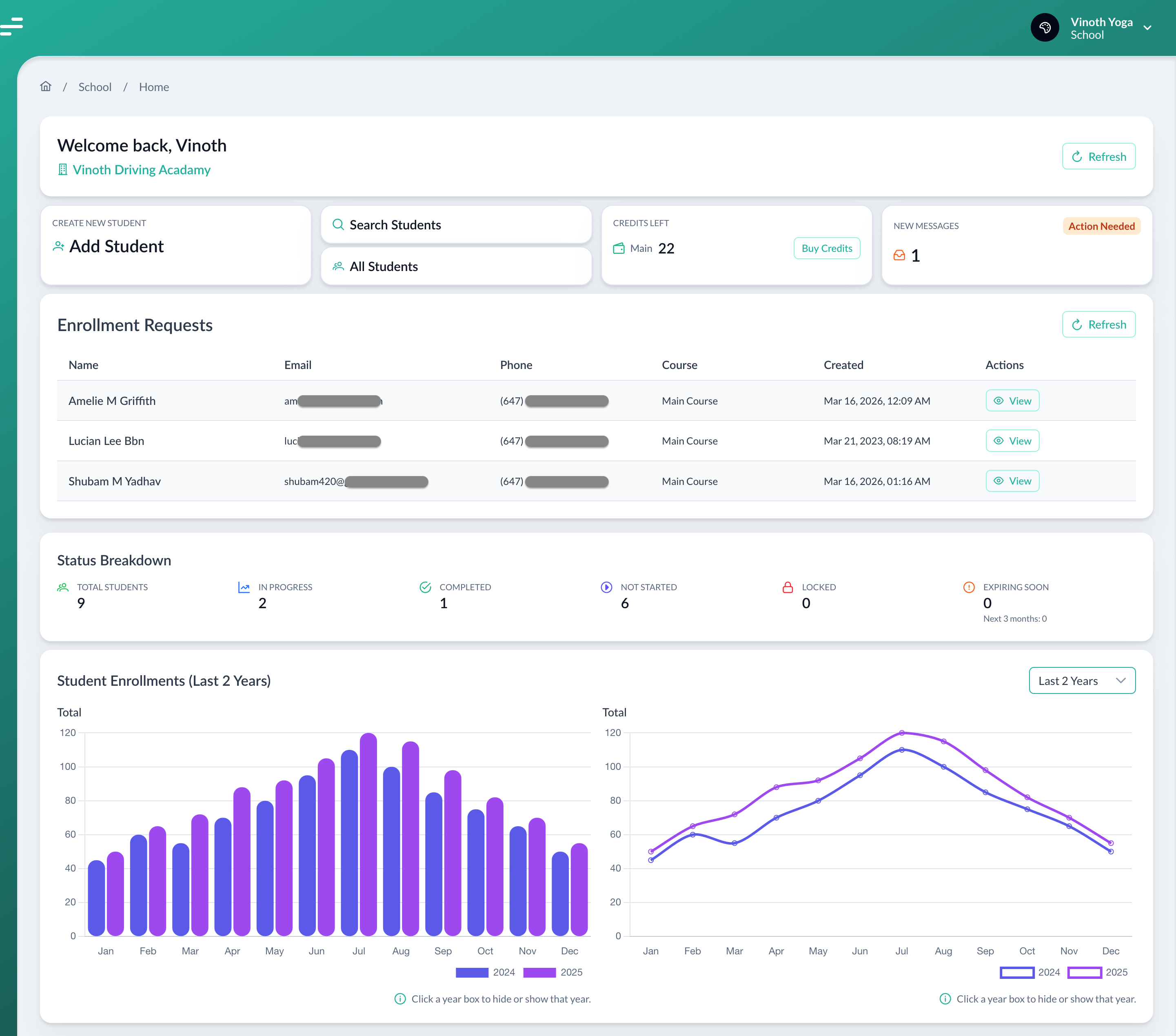
Get a real-time overview of your school — pending enrollment requests, active/disabled/completed student counts, and key metrics at a glance.
Student Management
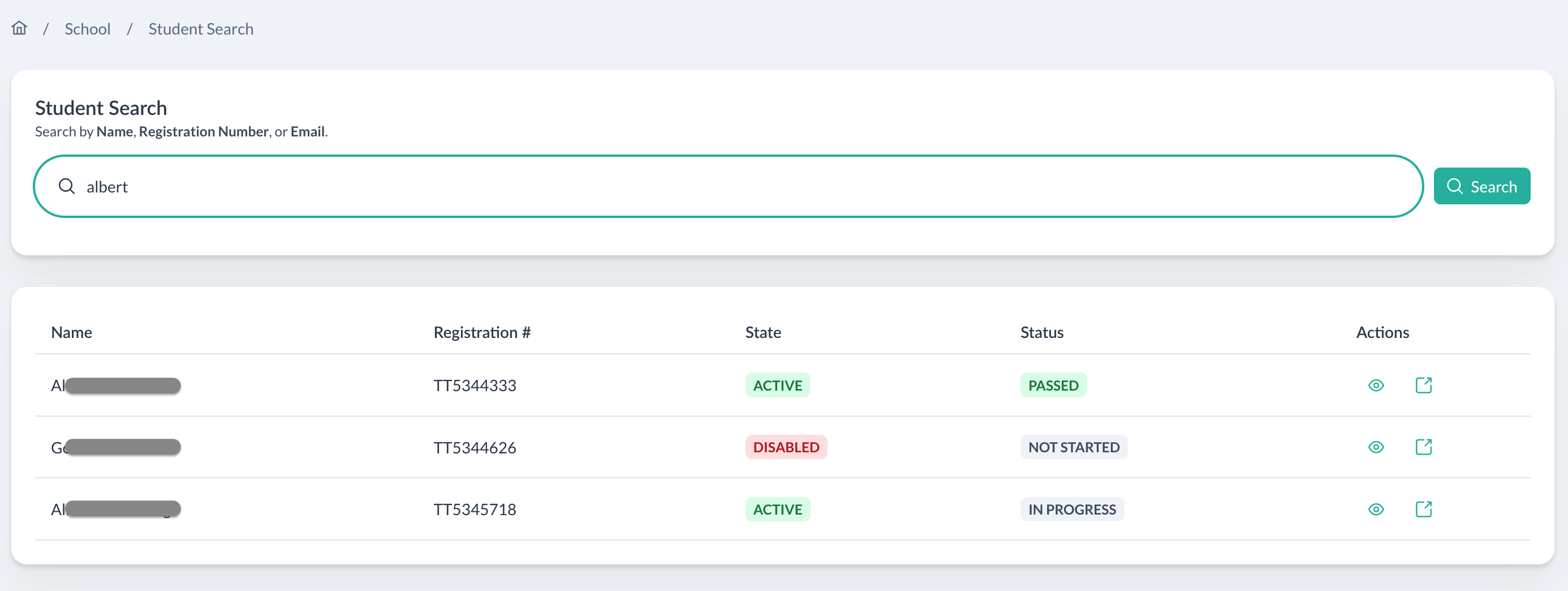
View your full student roster with enrollment status, search by name or registration number, and quickly access any student's details and license information.
Course Result Tracking
See a detailed breakdown of each student's progress — modules completed, quiz scores, homelinks submitted, final test results, and overall course completion percentage.
Student Details & License
Access each student's personal information, registration number, license class, start date, completion deadline, and driver's license on file — all in one place.
Instant Student Search
Search across all your students by name, email, or registration number. Filter by status (active, disabled, in progress, passed, not started) to quickly find who you need.
School Inbox & Messaging
Receive and manage messages from students directly within the platform. View message history, reply to inquiries, and keep all communications organized in one inbox.
School Profile Management
Keep your school's information up to date — school name, admin contact details, and administrative settings — all editable from your profile page.
Online Enrollment Integration
Generate a unique self-enrollment link for your school and embed it on your website. Students fill in their own details and register directly — no manual data entry for your staff.
School Dashboard
A Clear View of Your Entire School
The moment you log in, your dashboard shows everything that matters — new enrollment requests waiting for action, a live count of active, in-progress, and completed students, and a summary chart so you always know how your school is performing.
- Enrollment request queue with one-click approval
- Status breakdown: Active, Disabled, In Progress, Passed, Not Started
- Visual charts for quick performance overview
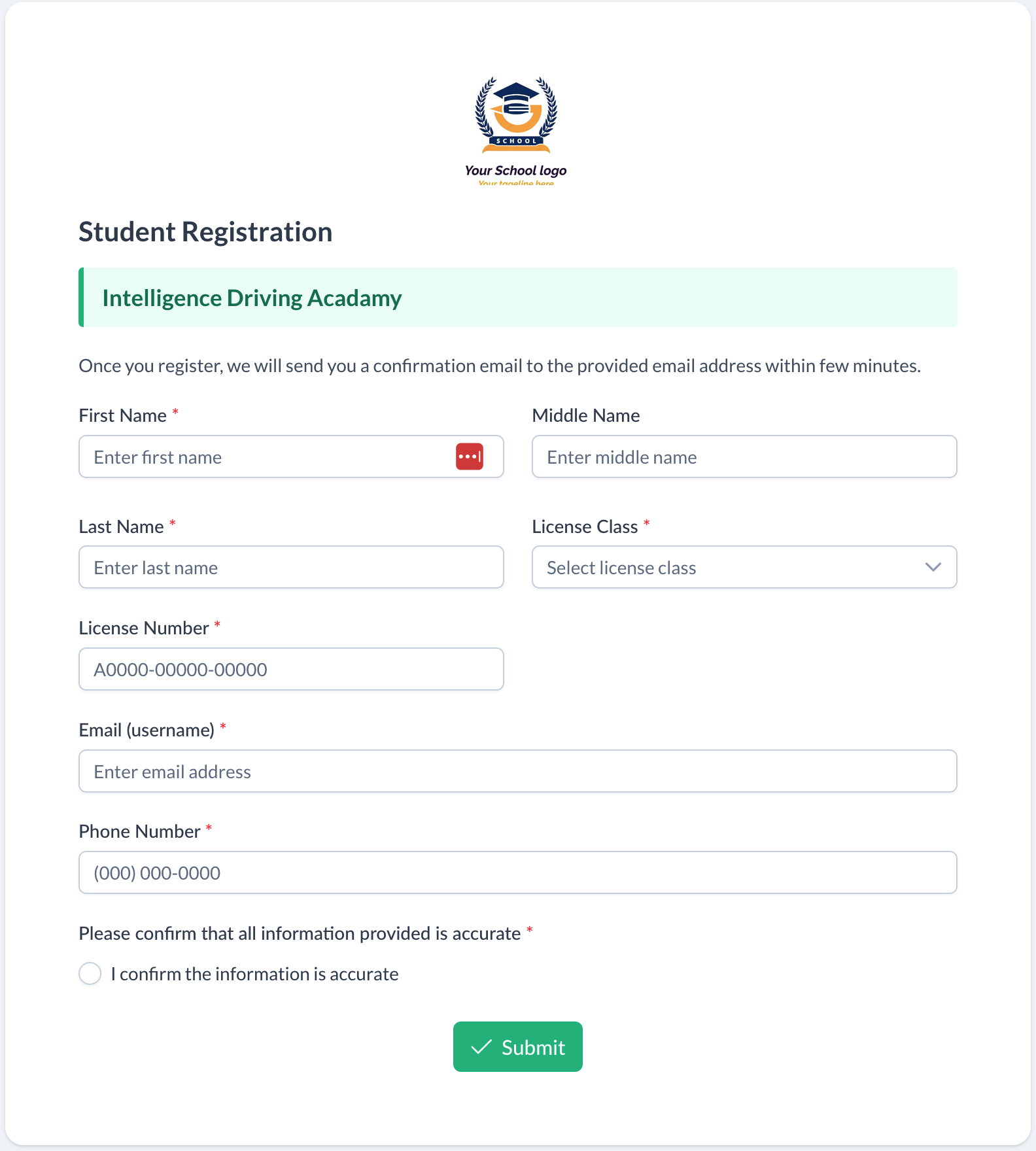
Online Enrollment
Let Students Enroll Themselves
Generate a unique registration link branded with your school's logo and embed it directly on your website. Students open the link, fill in their own details, and submit — no phone calls, no manual data entry, no back-and-forth. Their enrollment request lands straight in your dashboard for quick approval.
- Branded registration form with your school's logo
- Students self-register — confirmation email sent automatically
- Requests appear instantly in your school dashboard for approval
Student Search
Find Any Student Instantly
Search across your entire student roster in seconds. Filter by enrollment status — Active, Disabled, In Progress, Passed, or Not Started — to zero in on exactly who you need without scrolling through pages of records.
- Search by name, email, or registration number
- Filter by status to see exactly who needs attention
- Click any result to jump straight to their full details
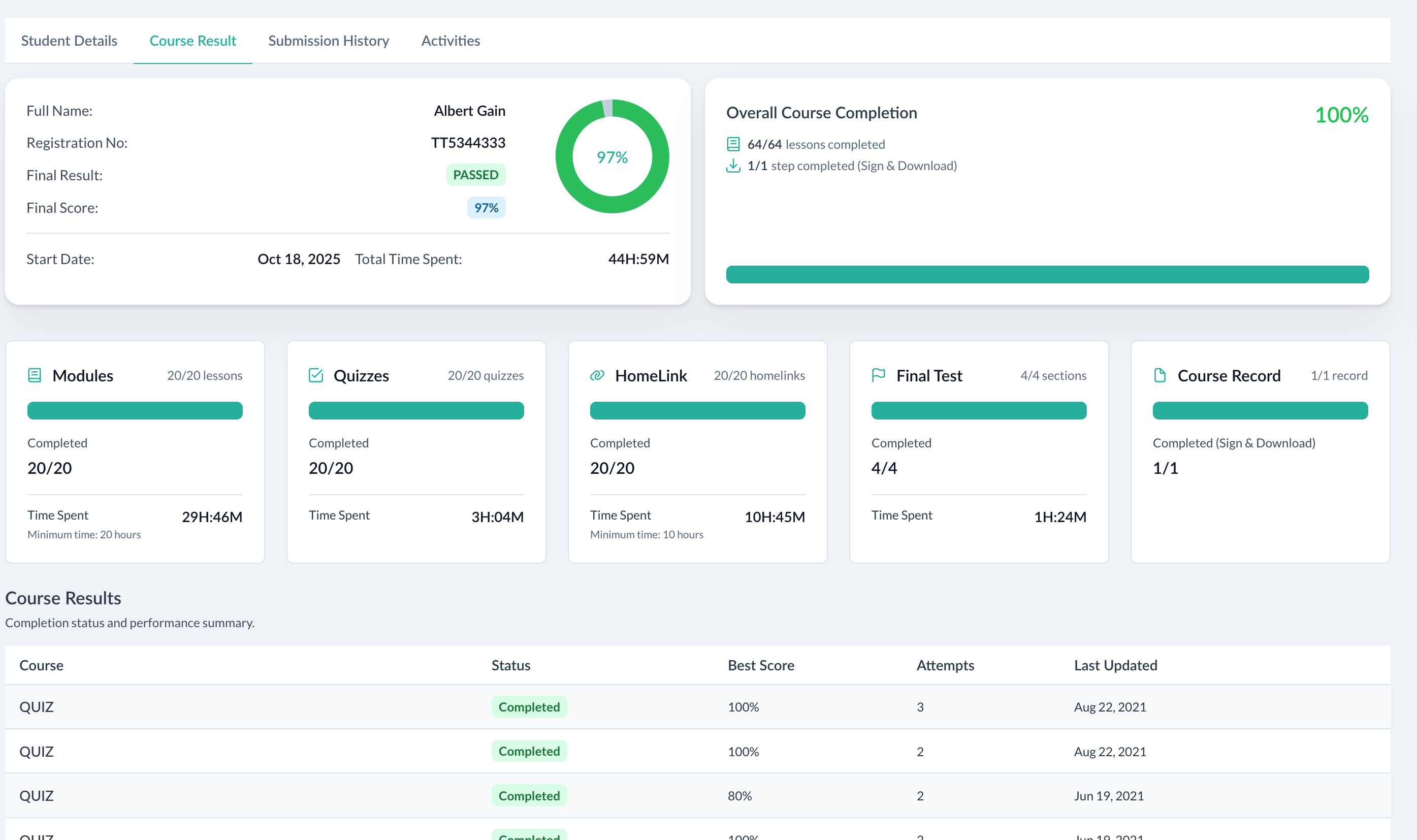
Progress Tracking
Deep Insight into Every Student's Progress
Drill down into any student's course result to see exactly where they stand — which modules they've completed, quiz scores with attempts, homelinks submitted, and whether they're ready to take the final test.
- Module, Quiz, Homelink, and Final Test completion at a glance
- Overall course completion percentage and time spent
- Pass/fail status with final score shown prominently
Student Portal
A Structured Path to Becoming a Safe Driver
Students follow a clear 5-step course journey — from Syllabus to Course Record — with interactive content, quizzes, and homelink activities along the way.
Syllabus
Review course outline
Modules & Quizzes
20+ interactive lessons
Homelinks
20 practice activities
Final Test
Comprehensive assessment
Course Record
Sign & download
Student Dashboard
See your entire course journey at a glance — which steps are complete, what's next, any pending tasks (like uploading your driver's license), and quick links to key pages.
Interactive Module Player
Work through 20+ driving modules with animated, interactive lessons. Each module includes sections you can navigate at your own pace, with your progress tracked automatically.
Module Quizzes
Test your knowledge after each module with a dedicated quiz. See your best score, number of attempts used, and retry any quiz you didn't pass — up to 3 attempts allowed.
Homelink Practice
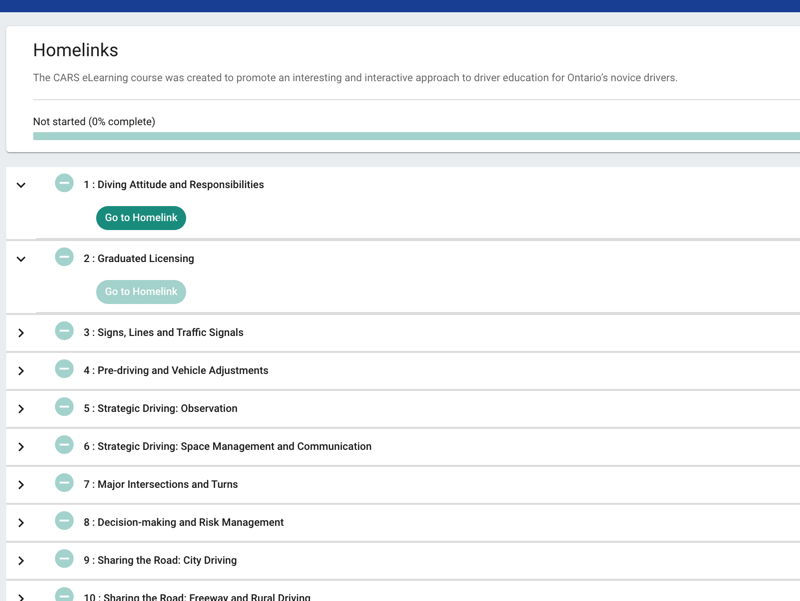
Complete 20 homelink practice activities alongside a parent or guardian. These real-world exercises reinforce classroom learning and are a required step before taking the final test.
Course Progress Tracking
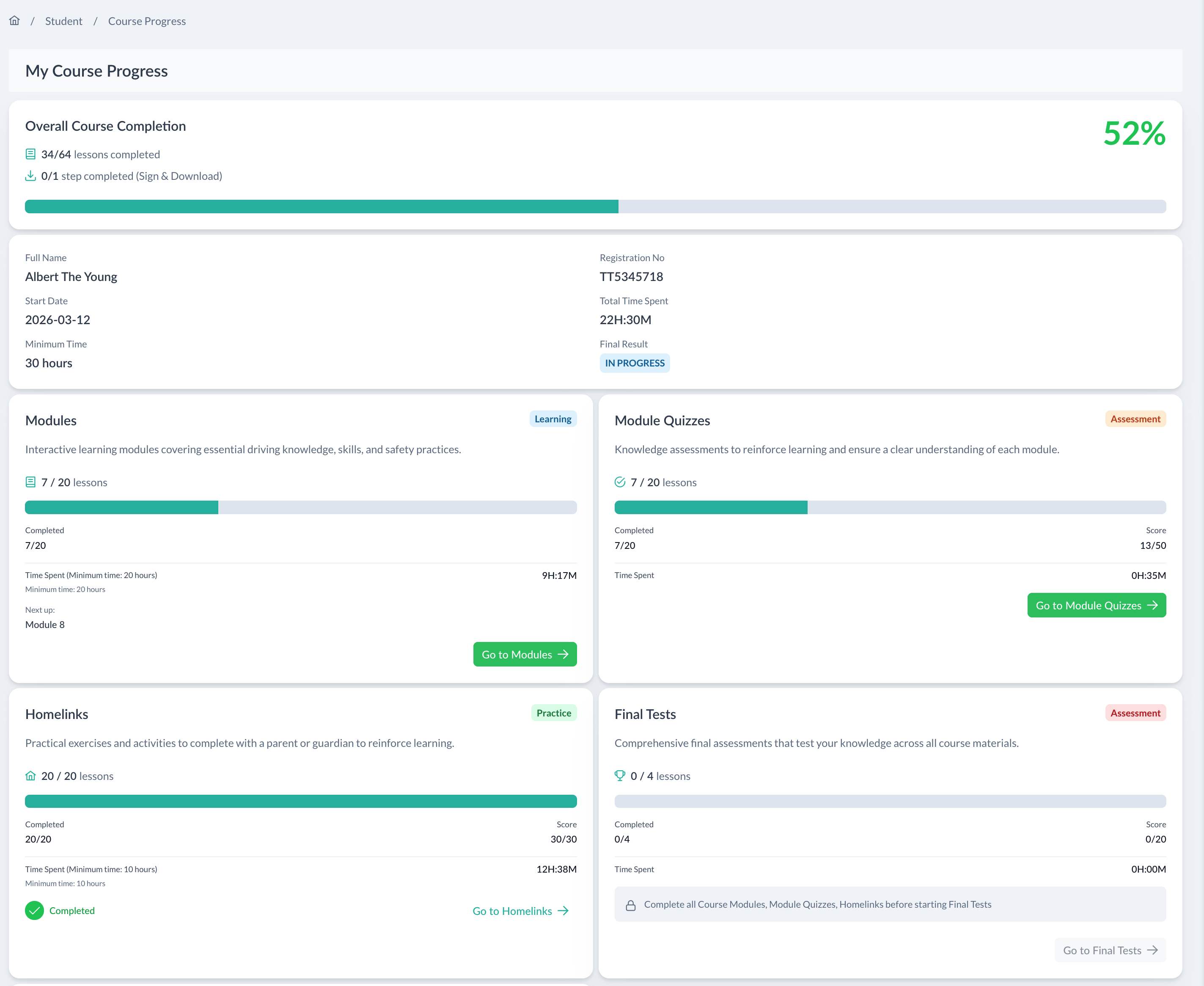
A dedicated progress page shows your overall completion percentage, total time spent, lessons completed per section, and a clear indicator of your final result — all updated in real time.
My Profile & License Upload
Students manage their personal information, license number and class, and securely upload a photo of their driver's license directly from their profile — required to progress through the course.
Module Player
Learn at Your Own Pace with Interactive Content
Each module opens in a full-featured course player with a collapsible content sidebar. Students can see exactly which sections they've completed, jump to any section, and track time spent — so they always know where they left off.
- Animated, Ontario-based driving scenarios
- Section-by-section navigation with completion indicators
- Minimum time tracking to meet MTO requirements
Progress
Always Know Exactly Where You Stand
The Course Progress page breaks down your completion across every section — Modules, Quizzes, Homelinks, and Final Tests — with individual lesson counts, time spent, and scores displayed clearly so there are no surprises.
- Overall percentage with live progress bar
- Time spent tracked per section vs. minimum required
- Quick-jump buttons to continue where you left off
Course Record
Sign & Download on Any Device
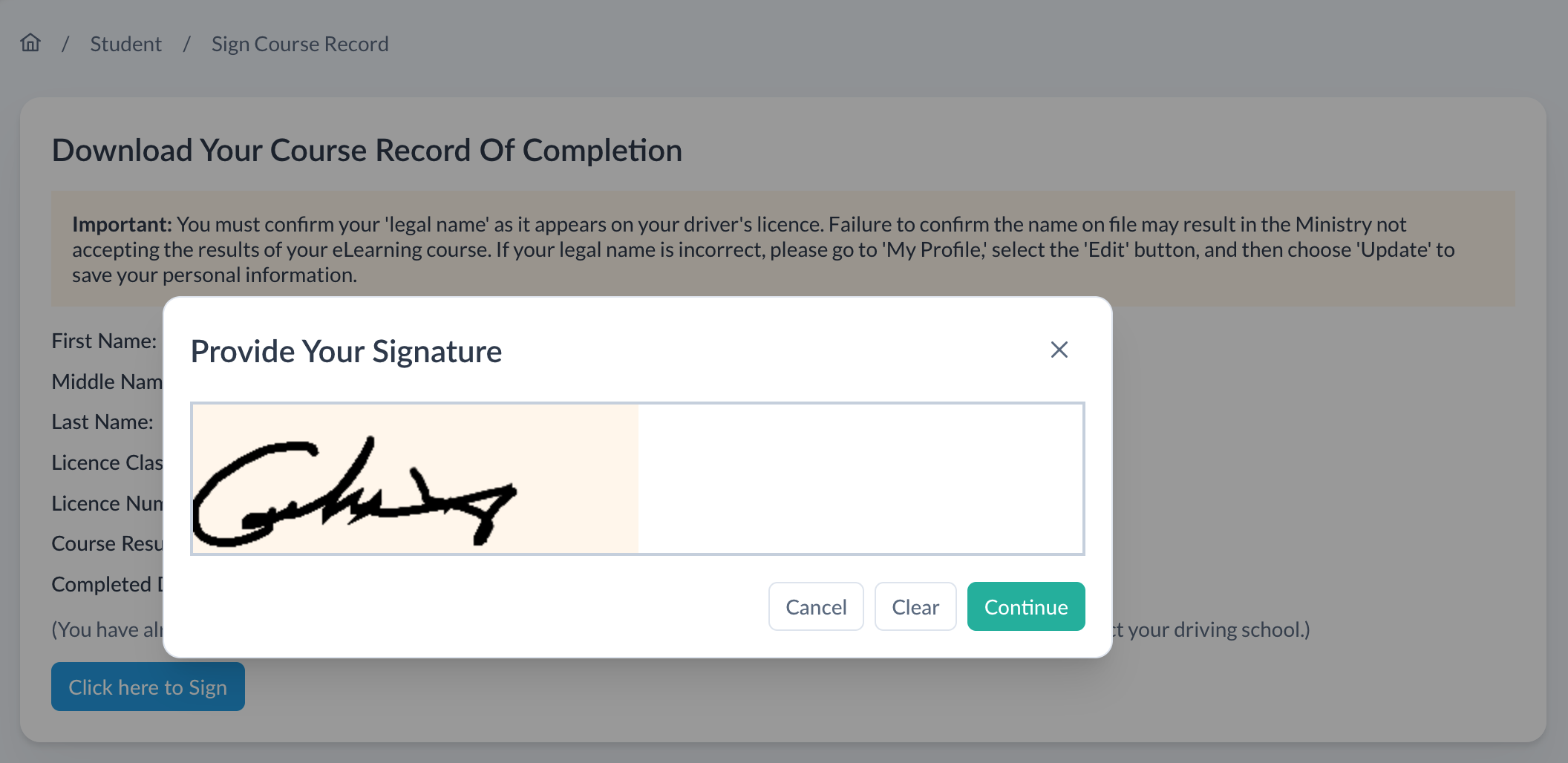
Once all course requirements are met, students sign their Course Record of Completion using a digital signature pad — directly on their smartphone, tablet, or computer. The signed record is instantly available to download as a PDF accepted by the Ministry of Transportation.
- Digital signature pad — works on any device including smartphones
- Confirms legal name matches driver's licence before signing
- Instantly downloadable PDF — accepted by the Ministry of Transportation
Ready to see it in action?
Contact us to request a live demo and see how CARS Learning can work for your driving school.
Request a Demo